

Staring at a blank slide is still every marketer’s least-favorite ritual. In 2026, a new crop of AI assistants can draft copy, snap layouts to your brand theme, and stream live metrics before your coffee cools.
We tested dozens of contenders, weighed price against time saved, and ranked the ten platforms that turn slideshow dread into momentum. Use this guide to choose the option that fits your budget, workflow, and tech stack—and get back to telling the story, not formatting it.
Every platform in this roundup earned its seat through the same transparent scorecard. We started with hands-on testing: installing plug-ins, timing draft generation, and stress-uploading messy CSV files to spot weak points. We then compared results against five criteria that match a marketer’s daily pain points.
First, raw AI muscle. Does the assistant turn a plain prompt into a slide that already feels 80 percent client-ready, or does it leave you rewriting every other sentence?
Second, workflow fit. Saving time matters only if you stay in flow, so native PowerPoint or Google Slides integration scored higher than tools that force extra exports.
Third, design intelligence. We rewarded layouts that stay on-brand, auto-resize charts, and rescue you from accidental twelve-point-font disasters.
Fourth, adoption and trust. Big install numbers, solid ratings, and credible enterprise rollouts prove a tool won’t vanish next quarter.
Finally, value. Pricing has to work whether you’re a scrappy startup or a global team rolling licenses out by the hundreds.
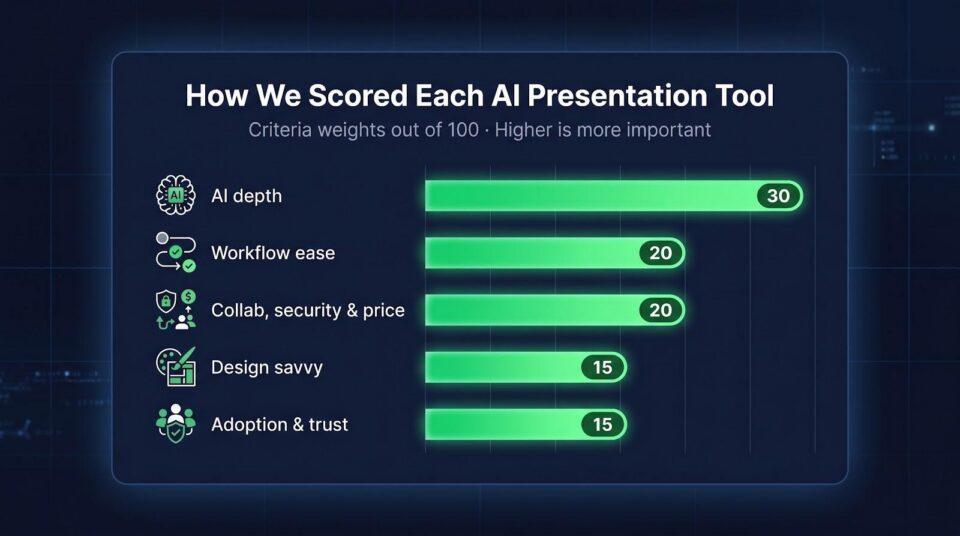
Each criterion carries a weight: 30 for AI depth, 20 for workflow ease, 15 for design savvy, 15 for adoption signals, and a final 20 split among collaboration, security, and price fairness. The cumulative score sets the ranking that follows, so when a tool lands at number one, you’ll know exactly why.
1. Plus AI: in-workflow speed for Slides and PowerPoint
Plus AI feels less like a separate app and more like turbo mode for the editors you open ten times a day, a slickness that has attracted more than two million users and cemented its reputation as the best AI presentation maker.
Install the add-on, type a prompt, and watch a full deck form inside Google Slides or PowerPoint without a single copy-paste detour. Headlines land in the right font, images align themselves, and your brand colors appear automatically because Plus reads your theme file.

Plus AI add-on generating decks inside Google Slides screenshot.
Iteration is where it shines. Highlight a clunky bullet and ask Plus to rewrite, simplify, or “remix” the layout; the change appears in seconds. Busy ecommerce teams value the Live Snapshots feature: drop in a chart linked to your analytics dashboard, and it stays current whenever you reopen the deck.
The trade-offs are minor. The PowerPoint add-in still lags a beat behind the slick Google Slides experience, and the free trial ends after seven days, so plan for at least the basic tier.
If you need to build, edit, and update marketing decks without leaving familiar territory, Plus AI is the fastest on-ramp available.
2. Microsoft 365 Copilot: enterprise power inside PowerPoint
Copilot lives where your exec team already works, the Office ribbon. One prompt can pull solid headlines from a Word doc, chart last quarter’s sales straight from Excel, and wrap everything in your corporate slide master. No exports, no broken fonts, just a draft deck that already matches brand guidelines.
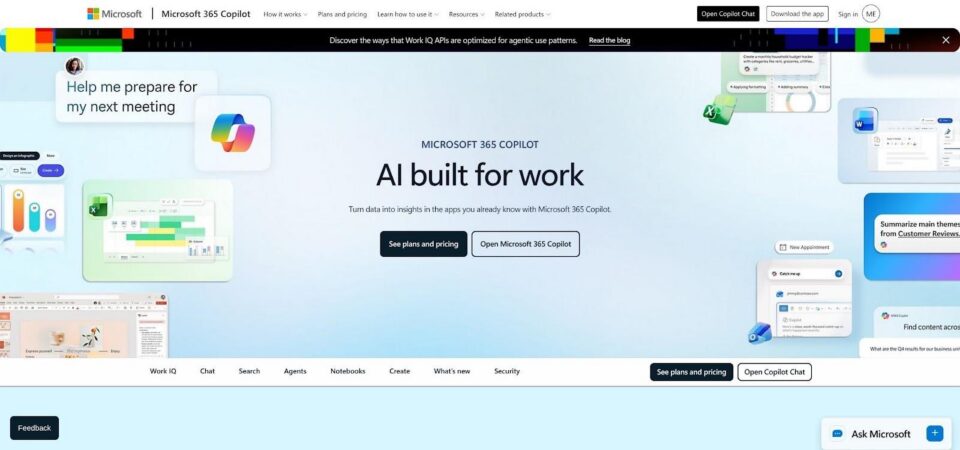
Microsoft 365 Copilot drafting a PowerPoint performance deck screenshot.
Behind the scenes, Microsoft Graph does the heavy lifting. Because Copilot can read meeting notes, emails, and SharePoint files you have approved for access, it surfaces the numbers and phrasing your CMO cares about. In testing we asked it to “build a 12-slide Q2 performance review,” and it stitched together KPIs, customer quotes, and speaker notes in under a minute.
Real-world trust is high. Accenture is rolling Copilot out to all 740,000-plus employees after a year-long pilot, calling adoption rates “proof of real value” (itpro.com).
Downsides? Cost. Copilot still sits behind a premium Microsoft 365 add-on, so smaller teams may hesitate. And while the AI nails structure, its copy often feels formal, so you will want to add your brand voice before presenting.
If security, data accuracy, and native workflow top your list, Copilot is the heavyweight to pick first.
3. Google Slides + Gemini: AI images and outlines for Workspace teams
If your marketing stack already lives in Gmail, Docs, and Sheets, turning on Gemini in Slides feels like handing every teammate a digital art director. Tap “Help me visualize,” describe the scene in your head, “futuristic shopping cart icon in neon teal,” and a custom image lands on the canvas in seconds. No more trawling stock sites or wrestling with licenses.
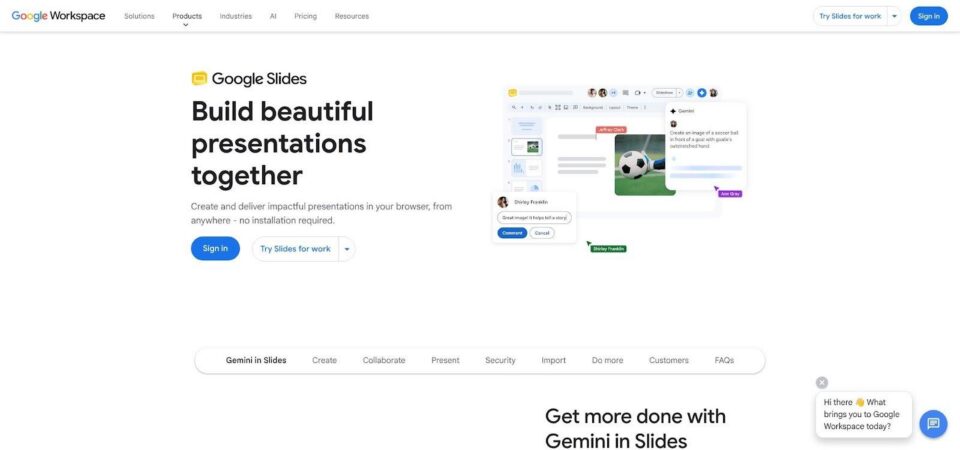
Google Slides with Gemini generating AI visuals for a marketing deck screenshot.
Gemini also trims the outline chore. Highlight key paragraphs in a campaign brief stored in Docs, choose “Create slides,” and the AI drafts a deck that mirrors your brand palette and pulls charts straight from the linked Sheet. Edits stay collaborative; you and a colleague can tweak bullets while the AI suggests stronger verbs in the side panel.
The add-on costs extra on top of Workspace Enterprise, so smaller teams may stick with the free version of Slides or a third-party tool. While the visuals impress, the text starter often reads like a polite intern’s first draft, so add your brand voice before sharing with stakeholders.
For Google-centric teams who juggle docs, data, and last-minute image requests, Gemini is a natural extension that keeps everyone creating in the same tab.
4. Canva Magic Design: designer-grade looks without a designer
Open Canva, type “ecommerce launch deck,” and Magic Design presents half a dozen slide sets that already feel agency-made. Each thumbnail pairs bold typography with fresh imagery, so you tweak a near-finished concept instead of staring at a blank rectangle.

Canva Magic Design AI presentation templates interface screenshot.
Drag your logo into the Brand Kit once, and every proposed deck snaps to your colors and fonts. Need a standout hero visual? The built-in image generator creates custom art in seconds, cutting the stock-photo hunt. Magic Write helps too, offering punchy headlines or tighter captions directly in the text box.
Value is the headline feature. Canva’s free tier covers most small-team needs, and the Pro upgrade starts at about 15 dollars per user each month, still less than a single freelance design gig. The trade-off is depth: Magic Design will not chart conversion data or craft a nuanced strategy narrative for you. Think of it as a quick path to polished visuals, not a strategic co-author.
If your goal is “look great, now,” Canva equips non-designers with the polish they need while keeping budgets in line.
5. Beautiful.ai: automatic layouts keep every slide on brand
Beautiful.ai is the neat freak of presentation software. The moment you type or paste content, its Smart Slides engine reorganizes text, images, and charts so nothing spills outside safe margins or clashes with your color palette. It feels like a built-in designer tapping you on the shoulder, whispering, “Let me tidy that for you.”
For marketers juggling recurring reports, the time savings add up fast. Duplicate last quarter’s deck, swap new numbers, and watch the layout auto-adjust, no Sunday night nudging of bars and labels required. Team plans extend the advantage with locked brand themes, ensuring every regional manager’s slide looks like it came from the same playbook.
Control is the trade-off. Want to place a logo slightly off-grid for dramatic flair? The software nudges it back. While the built-in AI can draft outlines, its copy stays generic, so strategy and voice remain squarely in your court.
Choose Beautiful.ai if consistency outranks creativity and you prefer to ignore pixel alignment forever.
6. Gamma: story-first decks that write themselves
Gamma treats a presentation like a screenplay, not a stack of slides. Start with one sentence, “Pitch a social commerce strategy for skincare,” and the AI drafts a tight outline, complete with copy, visuals, and citations. The result reads like a narrative that moves the reader from problem to payoff.
Flexibility is its edge. Prefer a lighter, image-driven look? Toggle the visual-heavy setting and regenerate. Need a more authoritative voice? Ask for stats, and Gamma pulls reputable figures with inline references. Edits stay conversational: highlight any chunk of text and request a rewrite, expansion, or tone shift without breaking the layout.
Sharing feels modern. Stakeholders scroll through a responsive web deck that can host live embeds like product demos. You can still export to PowerPoint when tradition demands, but interactivity flattens on export, so keep a PDF for offline handouts.
Gamma offers a free tier for basic use and a Plus plan at about 10 dollars per month. For marketers who think in stories and prefer to skip manual layout tweaks, it produces a near-finished pitch in the time it takes to brew a latte.
7. Tome: visual storytelling that impresses from slide one
Tome treats each slide like a panel in a graphic novel. Give it a prompt such as “Introduce our eco-friendly sneaker line,” and it returns a flowing storyboard packed with full-bleed AI art and succinct copy that moves from problem to solution.
Because imagery drives the narrative, Tome relies on built-in DALL·E 3 generation. Backgrounds feel bespoke, not stock, helping mood boards and brand-vision decks stand out without designer help. Swap any visual instantly or ask the AI for a new style until the vibe feels right.
Interactivity is part of the workflow. Drop in a Figma prototype, a product video, or a mini FAQ chat widget so stakeholders can explore details without leaving the deck. Sharing happens through a single link, and the presentation adapts to phone or desktop, letting clients scroll like a web page or click slide by slide.
There are limits. Data-heavy tables feel cramped, and exporting to PowerPoint flattens pages into static images, removing interactive elements. Tome offers a free tier and a Pro plan at about 16 dollars per user each month. For first-round concept pitches where emotion and vision matter more than spreadsheets, Tome delivers a cinematic punch in minutes, not hours.
8. Pitch: collaboration first, AI second, brand always
Pitch feels like the presentation layer Slack forgot to build. Open a deck and you see every cursor moving in real time, comments in the margin, and slide owners tagged for follow-up. The AI works quietly in the background: suggest an outline, tighten a headline, or auto-populate a data chart from Google Analytics with one click. It speeds up the grunt work so the team can focus on the story.
Shared templates and brand styles drive consistency. Drop a pre-approved case-study slide into any deck and fonts, colors, and logos lock in automatically. Sales or field marketing teams stay on script because the guardrails are built in. Live integrations keep your monthly KPI slide current as soon as the linked Sheet refreshes, so no more version-control headaches.
Export to PowerPoint or PDF covers clients who prefer old habits, but Pitch’s native player, complete with presenter video bubbles, is where the platform shines. The core plan is free, and the Pro tier starts at about 20 dollars per user each month. If your marketing org edits decks daily and collaboration chaos costs you hours, Pitch delivers a calm, consistent workspace.
9. Prezent.ai: enterprise-grade consistency at global scale
Prezent.ai is less a slide tool and more a corporate communications engine. Upload your brand template, pick the audience (executive, client, or internal), and the AI assembles slides that match your house style and tone down to the last hex code. Fortune 500 teams rely on its library of business-ready diagrams, from funnels and 2×2s to ROI bridges, all formatted to consulting standards.
Speed at scale is the main draw. A product marketer in Berlin and a sales lead in Chicago can each generate region-specific decks that look like they came from the same design studio. Approval workflows, SOC 2 compliance, and locked brand elements keep legal and brand managers happy while frontline teams produce presentations in minutes, not days.
Creative freedom stays intentionally narrow. If you want avant-garde layouts, look elsewhere. When you need hundreds of on-brand, audience-tuned decks to move through a large organization without bottlenecks, Prezent.ai delivers. Enterprise plans typically cost about 30 to 50 dollars per user each month.
10. Slidesgo AI: zero-budget drafts in sixty seconds
Slidesgo’s AI generator is the drive-through window of presentation making: type your topic, pick a template, and a ten-slide deck lands on your screen before the fries cool. The output will not win design awards, but the colorful layouts, icons, and placeholder text give you a scaffold that beats staring at an empty title slide.
Because Slidesgo has spent years curating free Google Slides and PowerPoint themes, the AI always starts with a polished visual base. Swap images, overwrite the generic copy, and you are meeting-ready without opening your wallet. Premium plans add PPTX export and remove watermarks; the paid tier starts at about six dollars per month, and even the free PDF suits internal brainstorming or classroom use.
Depth is the trade-off. The AI writes catch-all marketing lines, such as “Increase engagement through social media,” rather than tailored insights, and complex data visuals remain your responsibility. Still, when budget is zero and time is tight, Slidesgo AI turns “I need something now” into “Done, what’s next?”
Quick-pick segments: grab the best fit in seconds
Pressed for time? Here is the shortcut.
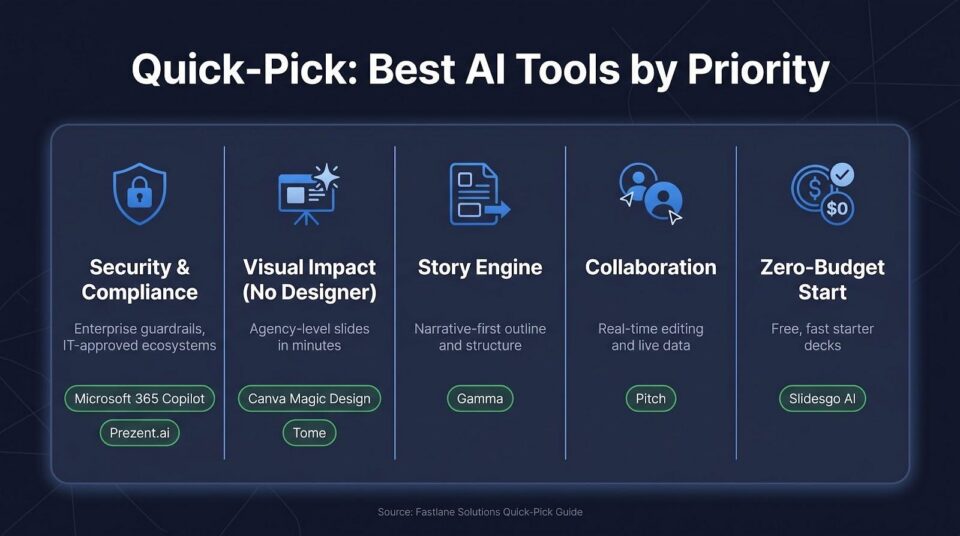
If security and compliance top your list, turn to Microsoft 365 Copilot or Prezent.ai. Both live inside ecosystems IT already approves and keep customer data under enterprise controls.
Seeking maximum visual impact without design experience? Canva Magic Design produces polished layouts in minutes, while Tome delivers cinematic storytelling for concept pitches. Each transforms rough ideas into striking slides faster than a freelancer can respond.
Need a story engine that organizes thoughts as well as it styles them? Gamma fits the brief, mapping a logical narrative before adding visuals, then letting you adjust tone or length on the fly.
Teams that rely on collaboration should start with Pitch. Real-time co-editing, brand guardrails, and live data links keep everyone aligned without email churn.
Finally, if budget is the wall, Slidesgo AI provides a respectable starter deck for free, leaving more cash for ads instead of assets.
Side-by-side snapshot
Sometimes you need the facts in one view. The grid below shows each platform, its standout strength, the starting price, and the caveat most users notice after onboarding. Skim it now, then bookmark it for your next budget meeting.
| Tool | Native platform | Primary edge | Entry price (USD) | Common watch-out |
| Plus AI | Google Slides and PowerPoint add-in | Draft and edit inside existing decks | 10 dollars per user each month after a seven-day trial | PowerPoint plug-in less polished |
| Microsoft Copilot | PowerPoint (Microsoft 365) | Pulls live data from Word and Excel | 20–30 dollars per user each month add-on | Costly for small teams |
| Google Gemini | Google Slides | Instant AI images and doc-to-deck | 30 dollars per user each month (Workspace Enterprise) | Text suggestions need rewriting |
| Canva Magic Design | Canva web app | Designer-level templates in seconds | Free, Pro 15 dollars per user each month | No deep data visualisation |
| Beautiful.ai | Beautiful.ai web | Auto-layout for on-brand polish | 12 dollars per user each month | Limited creative freedom |
| Gamma | Gamma web | Story-first outline and citations | Free, Plus 10 dollars per month | Web interactivity flattens on export |
| Tome | Tome web | Full-bleed AI art and embeds | Free, Pro 16 dollars per month | Data tables feel cramped |
| Pitch | Pitch web | Real-time team editing and live data | Free, Pro 20 dollars per user each month | AI content light; export needed for PPT |
| Prezent.ai | Web plus PPT plug-in | Enterprise templates and compliance | About 30–50 dollars per user each month | Creativity intentionally constrained |
| Slidesgo AI | Web generator | Zero-cost starter decks | Free PDF, Premium 6 dollars per month | Generic copy, watermark on free |
Conclusion
Use the matrix to narrow your shortlist, then return to the full reviews for nuance. A quick gut-check now saves hours of demo calls later.
Fonte ==> Startups Magazine